
WordPress affiliate analytics
Affiliate Analytics for WordPress
What happened after someone arrived on your site — and what was actually connected to an affiliate click?
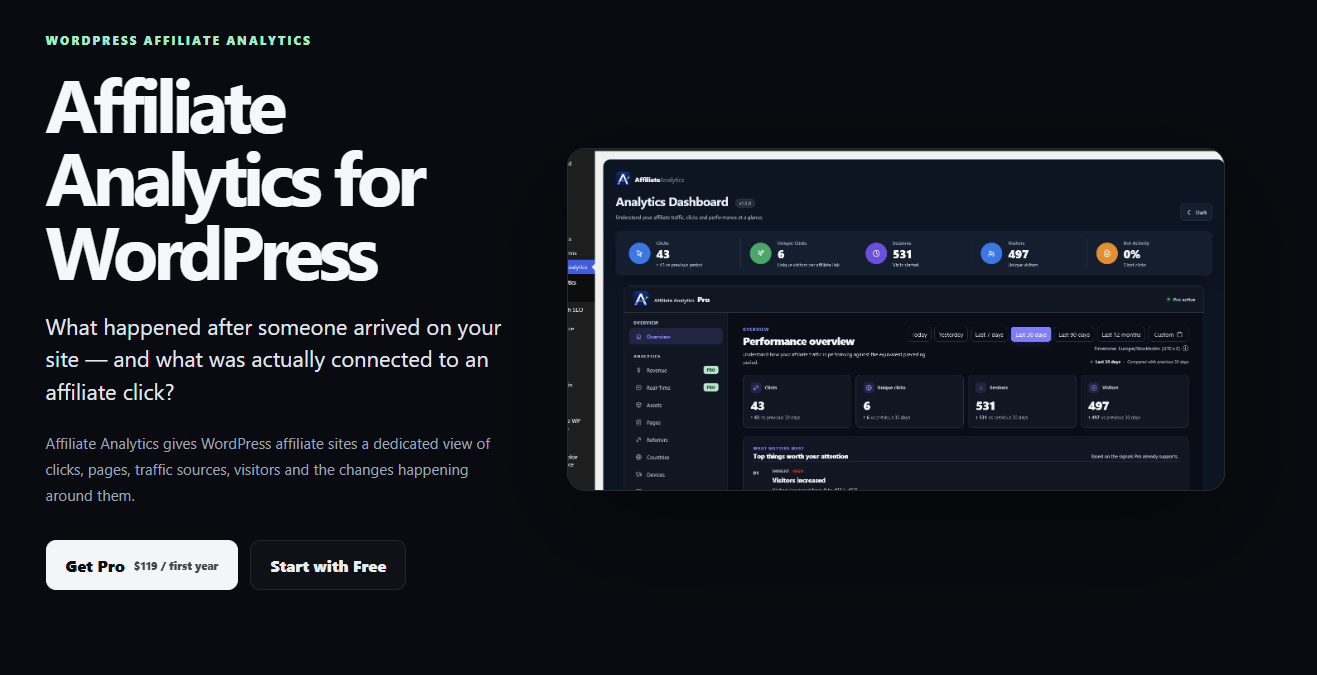
Affiliate Analytics gives WordPress affiliate sites a dedicated view of clicks, pages, traffic sources, visitors and the changes happening around them.
What is affiliate analytics?
It connects the affiliate click to the activity around it.
A click on an affiliate link is only one event. For an affiliate site owner, the useful questions usually start afterwards: Which page generated it? Which asset or link was involved? Where did the visitor come from? Is this normal for the period, or did something change?
Affiliate analytics is the layer that helps answer those questions. Instead of treating affiliate clicks as isolated numbers, it organizes the surrounding WordPress activity so you can compare, investigate and understand it.
What gets tracked
The useful part is the context around the click.
Affiliate Analytics brings several dimensions of affiliate activity together in WordPress. Each answers a different question about what is happening on the site.
How it works
From a click to a clearer investigation.
The workflow is simple: collect affiliate activity, put it into context, then investigate the changes that deserve attention.
Capture
Affiliate interactions are recorded inside WordPress so you have a consistent view of what happened.
Context
Connect the activity with pages, assets, traffic sources, visitors and time periods.
Compare
Look at changes over time instead of judging a single day or isolated click count.
Investigate
Use the resulting patterns to decide what is worth looking at more closely.
Inside Pro
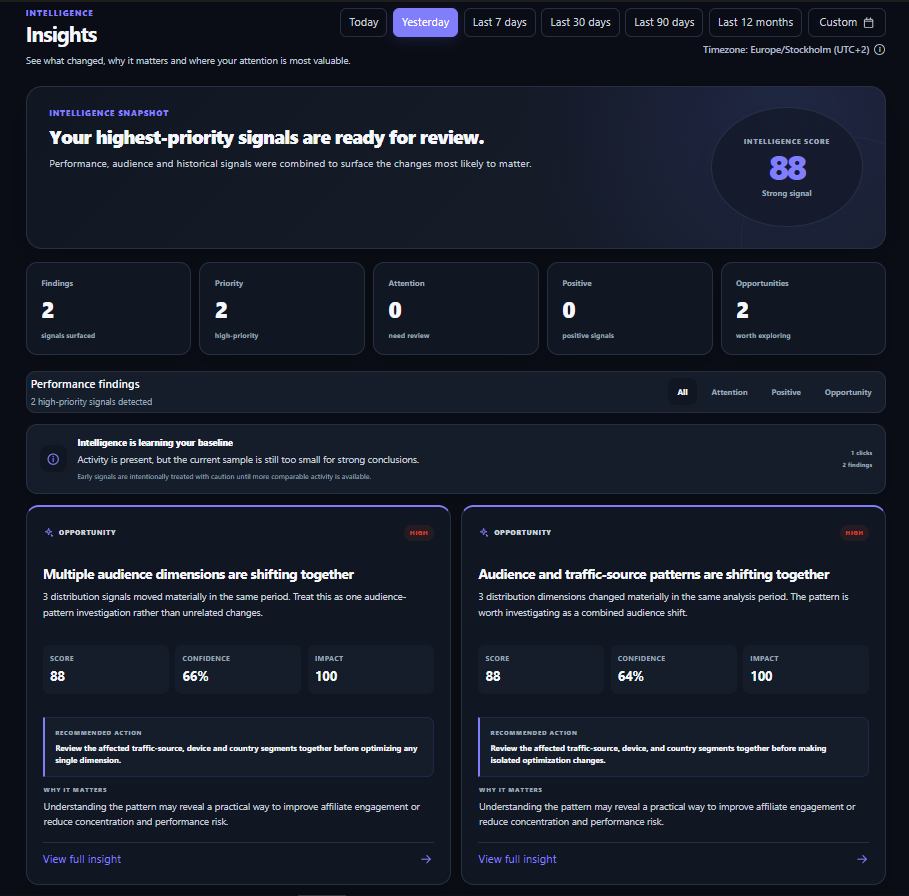
Insights turn changes in your data into something worth reviewing.
Affiliate Analytics Pro surfaces meaningful signals from the data you already collect. The goal is not to pretend to be a human analyst — it is to make important changes easier to see, verify and investigate.
- Surface meaningful changes across affiliate activity
- Compare signals against relevant periods and context
- Review priority, confidence and impact
- Investigate the underlying pages, traffic and audience dimensions
Discover what is worth investigating
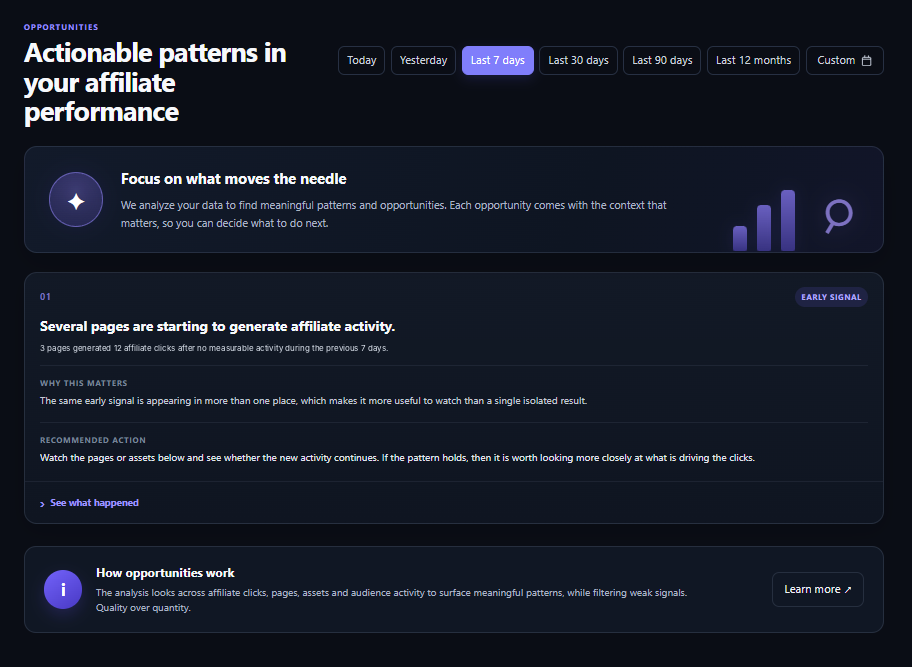
Opportunities help you notice patterns before they disappear into the dashboard.
Pro looks across affiliate clicks, pages, assets and audience activity to surface patterns that may deserve a closer look. Each opportunity is presented with context so you can decide what to investigate next.
- Spot emerging affiliate activity across pages
- See when several dimensions shift together
- Understand why a pattern was surfaced
- Follow the evidence before deciding what to do next
When you need more than tracking
Pro adds an analysis layer to the data you already collect.
Free is the foundation. Pro is for site owners who want to investigate changes more deeply, connect activity to revenue, and spend less time manually piecing signals together.
Insights
Surface meaningful, verifiable changes in your affiliate data so important signals are easier to review.
Opportunities
Highlight patterns and emerging activity that may be worth investigating across pages, assets and audiences.
Revenue Analytics
Connect affiliate activity with revenue data to investigate what sits between clicks and results.
Visitor Activity
See more detail around visitor interactions and how affiliate activity fits into their site journey.
Reports
Turn the data into useful reports and scheduled summaries so performance is easier to follow.
Advanced analytics
Go deeper with additional analysis, history and tools designed for affiliate-focused sites.
Revenue Analytics in Pro
Affiliate clicks are useful. Revenue context is better.
When revenue data is available, Pro helps you connect it with affiliate activity so you can investigate which site activity is associated with the results you care about.
Explore Pro pricing →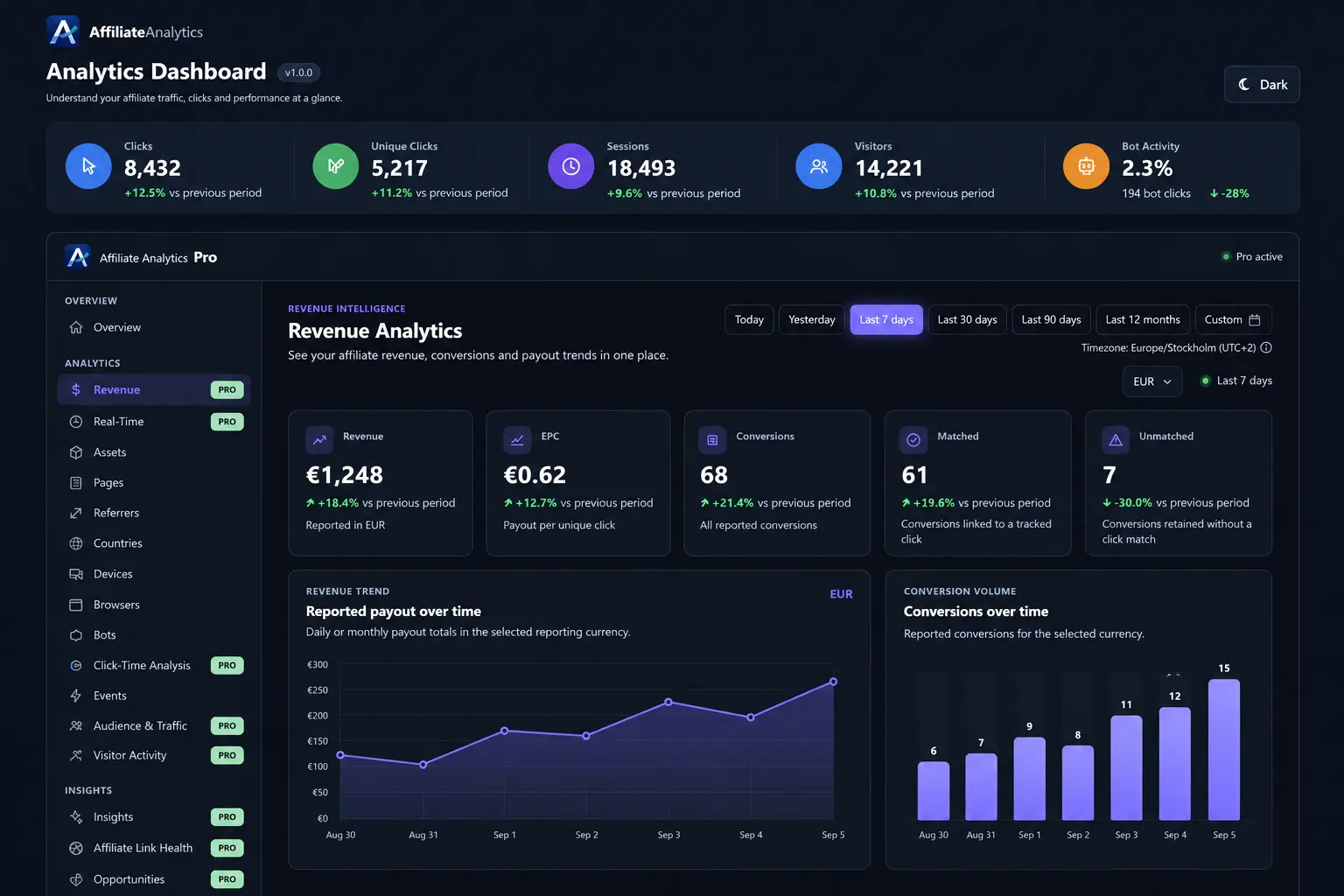
Free or Pro?
Start with tracking. Upgrade when you need deeper answers.
You do not need Pro to get useful affiliate analytics. Pro becomes relevant when the questions you want to answer go beyond the basic activity.
Affiliate Analytics
Free
For understanding the core affiliate activity on your WordPress site.
- Clicks and unique clicks
- Sessions and visitors
- Pages and affiliate assets
- Traffic sources
- Countries, devices and browsers
Affiliate Analytics Pro
Pro
For deeper analysis, discovery and revenue context built on the same data.
- Insights & Opportunities
- Revenue Analytics
- Visitor Activity
- Reports & Scheduled Reports
- Affiliate Link Health & Advanced Analytics
FAQ
Questions about affiliate analytics in WordPress.
What does affiliate analytics track in WordPress?
It can track affiliate clicks and unique clicks alongside sessions, visitors, pages, affiliate assets, referrers, countries, devices and browsers. The value is seeing those dimensions together rather than treating each click as an isolated number.
How is affiliate analytics different from normal WordPress analytics?
General analytics explains overall site traffic. Affiliate analytics focuses specifically on activity connected to affiliate links and assets, making it easier to investigate what parts of an affiliate site are generating activity and how that activity changes.
Can I use Affiliate Analytics without Pro?
Yes. Free provides the core tracking foundation. Pro is an upgrade for deeper analysis, discovery, revenue context, visitor activity and reporting.
Does Affiliate Analytics include revenue analytics?
Revenue Analytics is included in Pro. It is designed to connect affiliate activity with revenue data so you can investigate the relationship between clicks, site activity and revenue.
Affiliate Analytics for WordPress
Understand more than the click.
Start with the Free version or explore Pro when you need deeper analysis.