
Manage
Use Pretty Links to create, organize and manage the affiliate links you publish across your WordPress site.
Pretty Links manages the affiliate link. Affiliate Analytics helps you understand what happens around the click.
If Pretty Links is already part of your WordPress workflow, you do not need to replace it. Add an analytics layer that connects affiliate activity with the pages, visitors, traffic and revenue context around it.
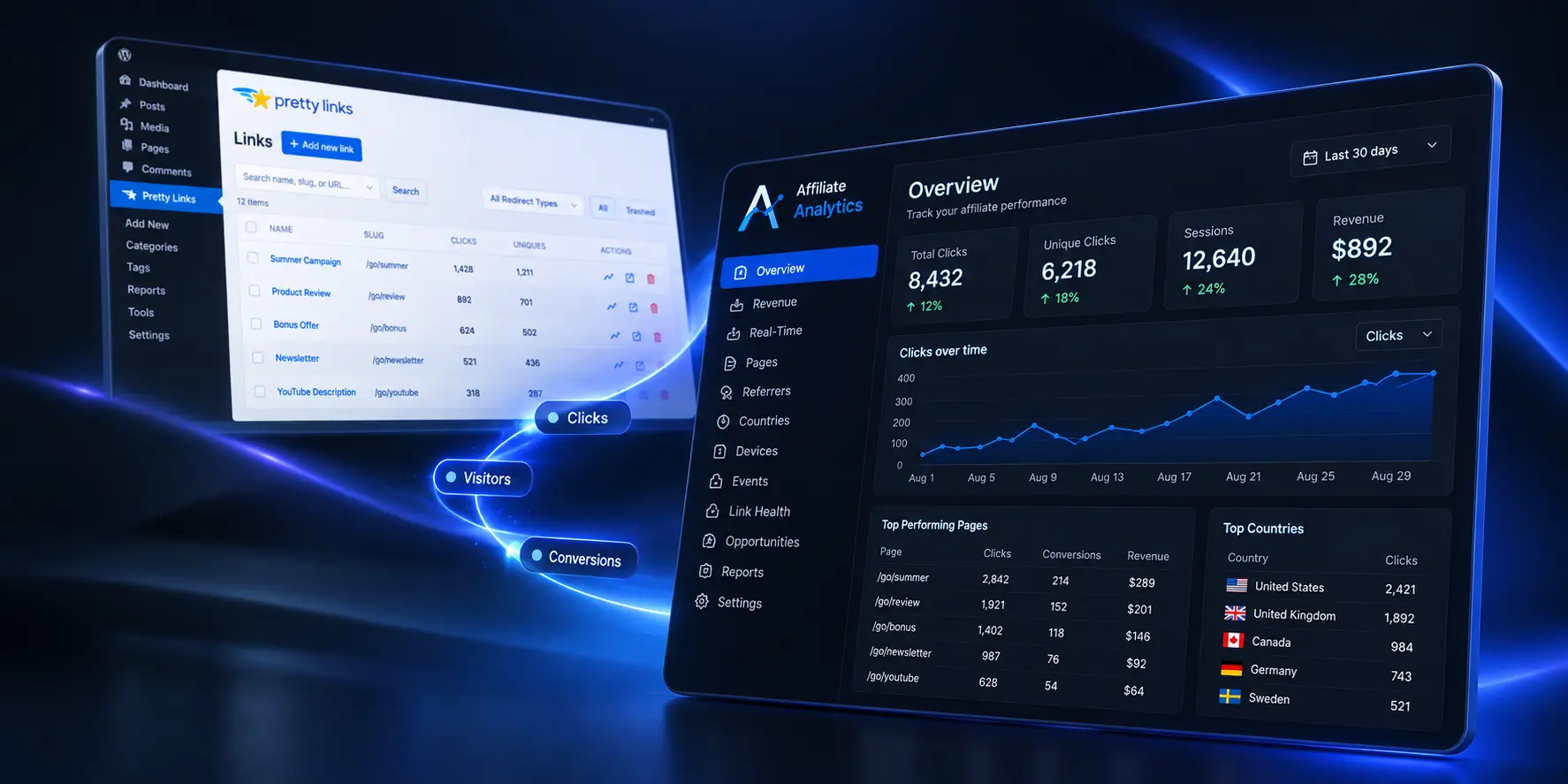
Pretty Links is built around affiliate link management: creating branded links, controlling redirects, organizing links and tracking their performance. That is useful work, and Affiliate Analytics is not intended to replace it.
Affiliate Analytics starts with a different question: what is happening on the WordPress site around those affiliate clicks? That means looking beyond the individual link and investigating pages, visitors, sessions, referrers and other dimensions of site activity.
The result is a complementary setup rather than an either/or decision.
The useful distinction is not which plugin is “better”. It is what question you need each tool to answer.
| Capability | Pretty Links | Affiliate Analytics | Why it matters |
|---|---|---|---|
| Affiliate link creation & management | Core focusCreate, organize and manage links | —Not the primary purpose | Keep your affiliate links clean, branded and easy to manage. |
| Branded links & redirects | Core focusShort links, branded URLs and redirects | —Not the primary purpose | Build a better link structure without changing your analytics workflow. |
| Click tracking | YesTrack total clicks | YesDetailed click data in site analytics | Know that a click happened — then understand what happened around it. |
| Unique click / visitor context | YesBasic click data | YesVisitors, sessions and context | Understand the people and sessions behind the numbers. |
| Page-level affiliate performance | Link-focusedBased on link clicks | Core analytics dimensionSee which pages drive affiliate activity | Find the content that earns attention — and double down on what works. |
| Visitors & sessions | Click reporting contextBasic context around clicks | Core analytics dimensionFull traffic and engagement context | See the bigger picture instead of treating every click as an isolated event. |
| Referrers, countries & devices | Available in click trackingBasic referrer and device data | Available in site analyticsDetailed traffic sources and audience context | Know where valuable traffic comes from and what to focus on. |
| Revenue analytics | Conversion/reporting workflowsVia integrations and add-ons | Pro revenue analyticsTrack and analyze affiliate revenue | Connect content, traffic and affiliate activity to the money it produces. |
| Insights & Opportunities | —Not available | ProActionable insights and opportunities | Turn your data into ideas for improving traffic, engagement and revenue. |
| Affiliate-focused site analysis | Link-levelFocus on individual links | Broader site-level viewConnect your site to affiliate results | See the full picture and make smarter, more profitable decisions. |
Pretty Links gets you the click. Affiliate Analytics shows you the full story — so you can improve what actually drives affiliate results.
Feature availability can vary by Pretty Links plan and configuration. The table is intentionally focused on the different roles the products play, not a feature-for-feature claim that one replaces the other.
Disclosure: Affiliate Analytics is independent and is not affiliated with, endorsed by, or sponsored by Pretty Links or Caseproof, LLC. Pretty Links is a product of Caseproof, LLC.
Use each tool where it is strongest, then use the analytics layer to investigate the wider performance of your affiliate site.
Use Pretty Links to create, organize and manage the affiliate links you publish across your WordPress site.
Track affiliate activity and see which links are generating clicks and unique interactions.
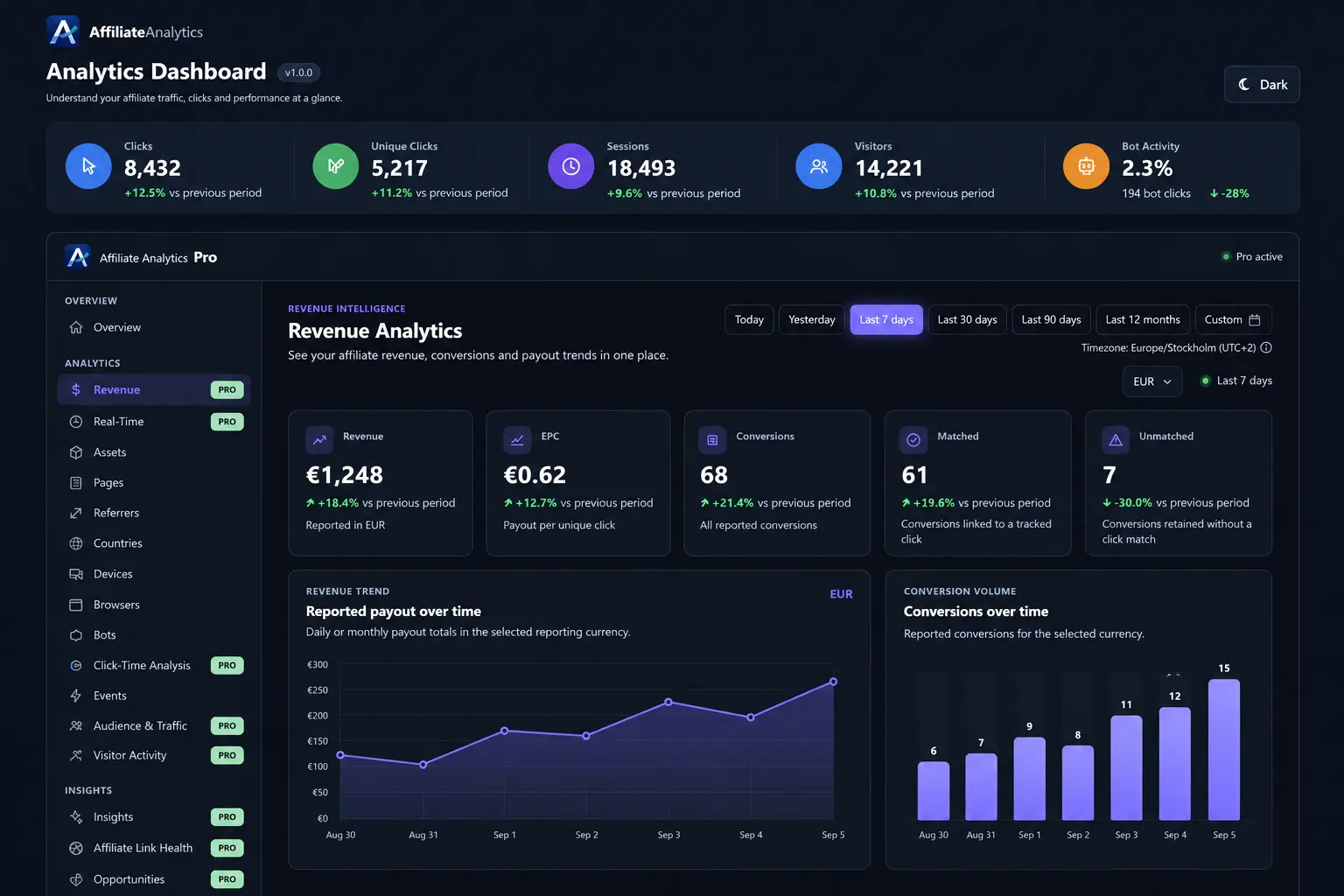
Use Affiliate Analytics to connect affiliate activity with pages, visitors, sessions, traffic sources and audience dimensions.
With Pro, go further into revenue, insights, opportunities and other signals that deserve a closer look.
Imagine a Pretty Link gets 100 clicks this month. That is useful. But you may still want to know which pages generated the activity, how many visitors were involved, whether the traffic came from a particular source, and what else changed during the same period.
Affiliate Analytics is designed for those questions.
Pretty Links is a strong fit when your main job is creating, organizing, redirecting, cloaking or managing affiliate links inside WordPress.
Learn about Pretty Links →Affiliate Analytics is built for the questions that sit around the click: which pages, visitors, traffic sources and other dimensions are associated with affiliate activity.
Explore Affiliate Analytics →Manage the links with Pretty Links, then use Affiliate Analytics to understand the broader site activity and performance around them.
See Affiliate Analytics Pro →Start with the Free version if you want the core affiliate analytics layer. When your questions move into revenue, patterns, visitor activity and recurring reporting, Pro adds the deeper analysis tools.
Explore Pro pricingYes. The two tools can be used together. Pretty Links can manage and track your affiliate links, while Affiliate Analytics adds a broader WordPress analytics layer around clicks, pages, visitors, traffic sources and other site activity.
No. Affiliate Analytics is designed as an analytics product, not a replacement for a dedicated affiliate link manager. If Pretty Links already handles your links, you can keep using it and add Affiliate Analytics for deeper site-level analysis.
Pretty Links is built around creating and managing branded links, redirects, link tracking and related link-management workflows. Affiliate Analytics focuses on understanding affiliate activity in the wider context of your WordPress site.
Affiliate Analytics helps you investigate the activity around affiliate clicks, including pages, visitors, sessions, referrers, countries, devices and revenue context in Pro. The goal is to understand more than the link click itself.
Start with Affiliate Analytics Free or explore Pro when you want deeper analysis.